
Faster pharmacy billing with batch and expiry control
An offline-first billing and stock system for independent pharmacies that need practical medicine search, unit conversion, GST invoices, FEFO suggestions and expiry visibility.
Understand the pharmacy workflow at a glance
These locally created interface previews show the intended workflow. The final screens may vary as the product improves.
See how TL Pharmacy Retail supports your daily work
Follow the product from the morning dashboard to billing, stock control, reports, import and backup. These are illustrative previews of the current workflow; screen details may evolve with product updates.
-
01
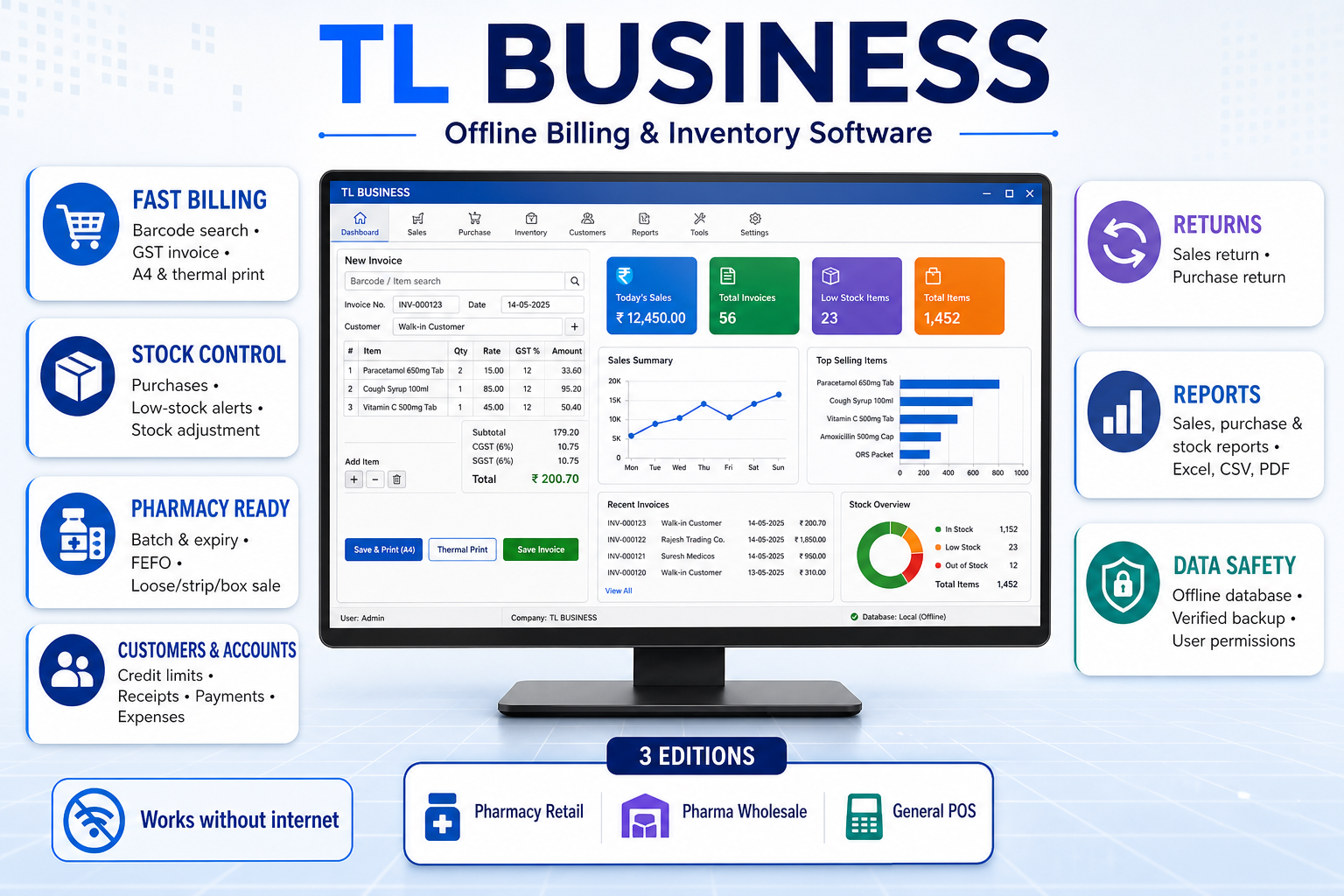
Product overview
See the connected TL Business workflow for billing, inventory, purchases, reports and data safety.
-
02
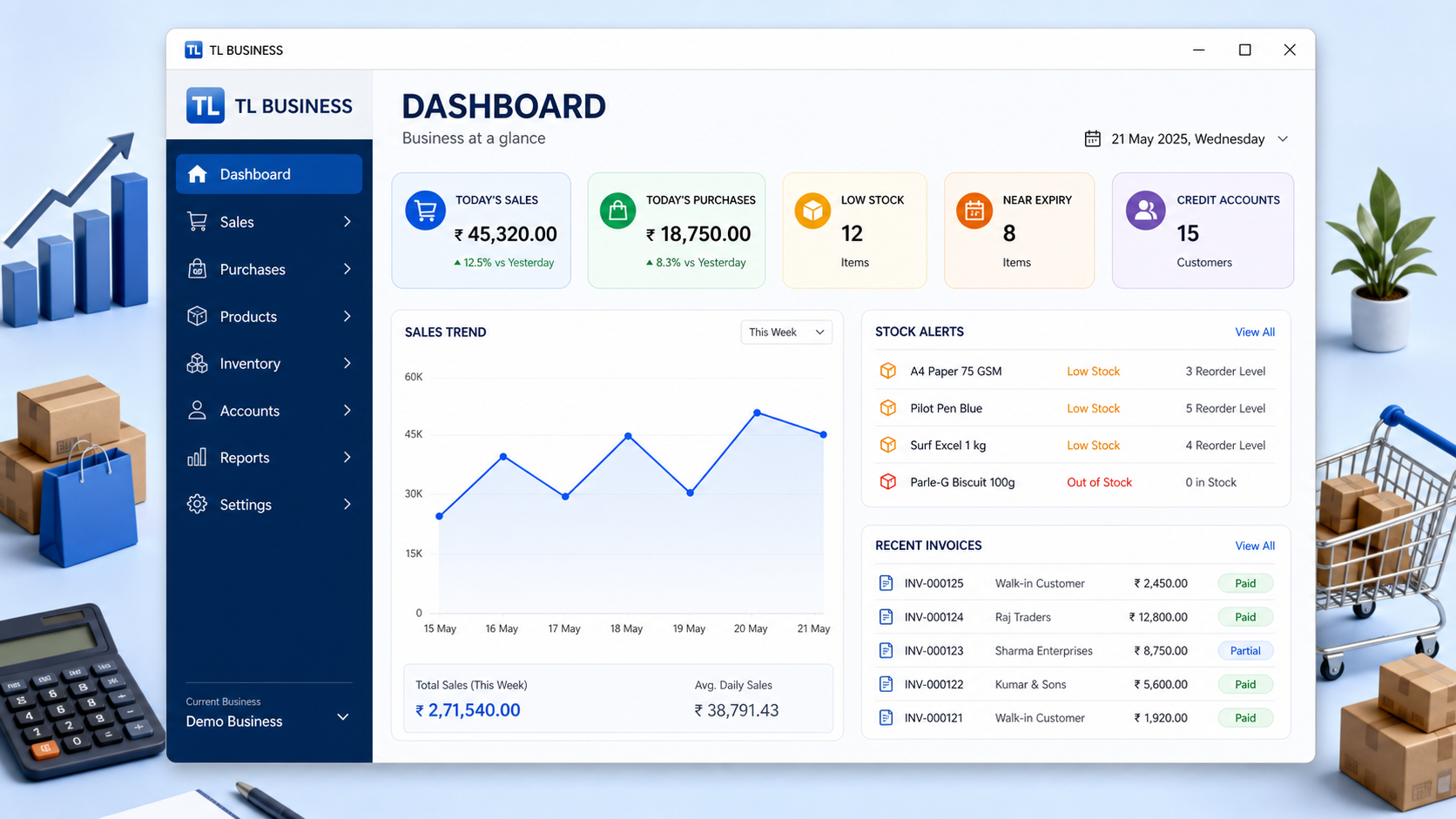
Daily dashboard
Start the day with sales, stock, payment and alert information in one clear view.
-
03
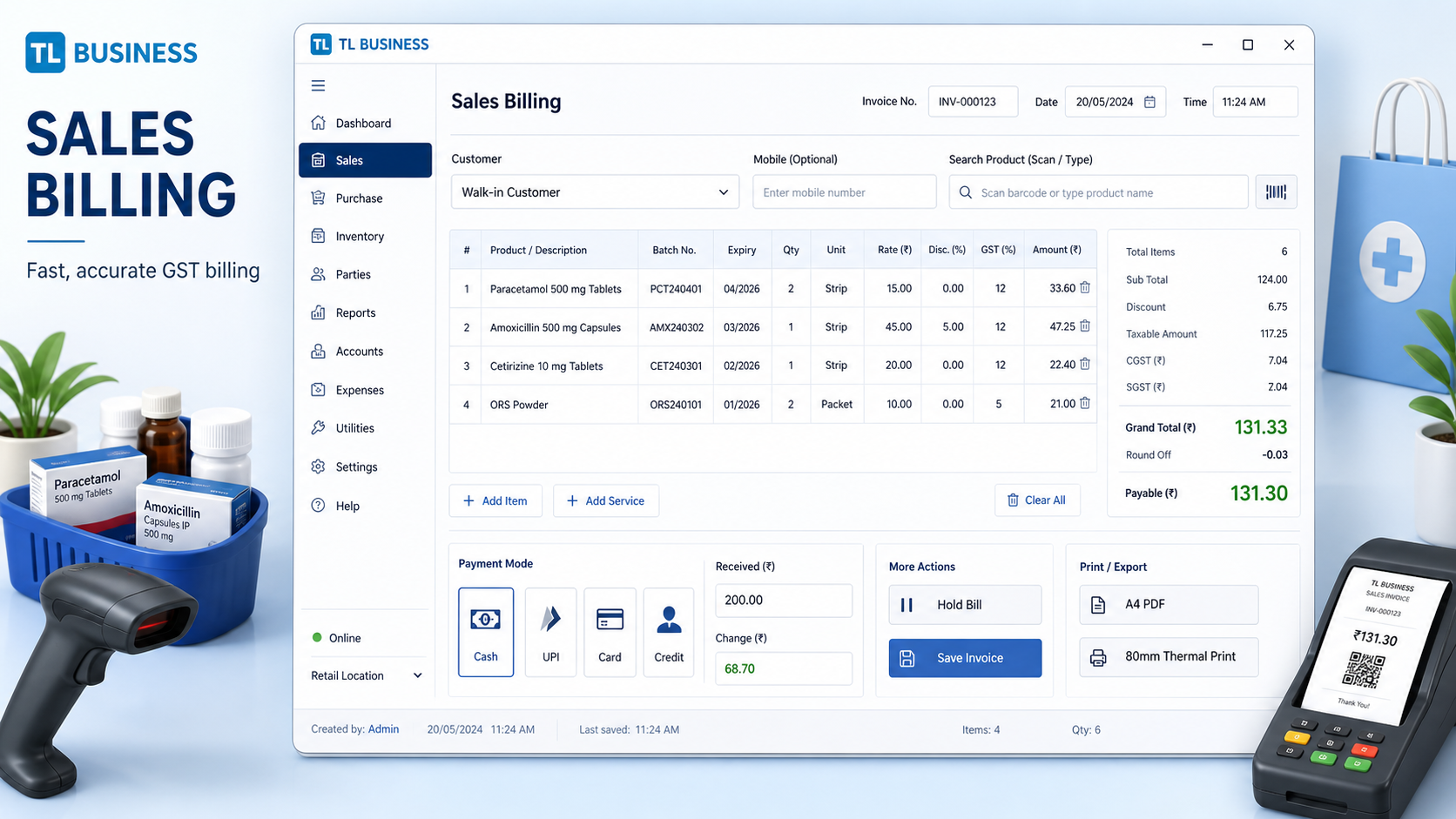
Fast pharmacy billing
Search products, prepare GST bills and complete counter sales with fewer steps.
-
04
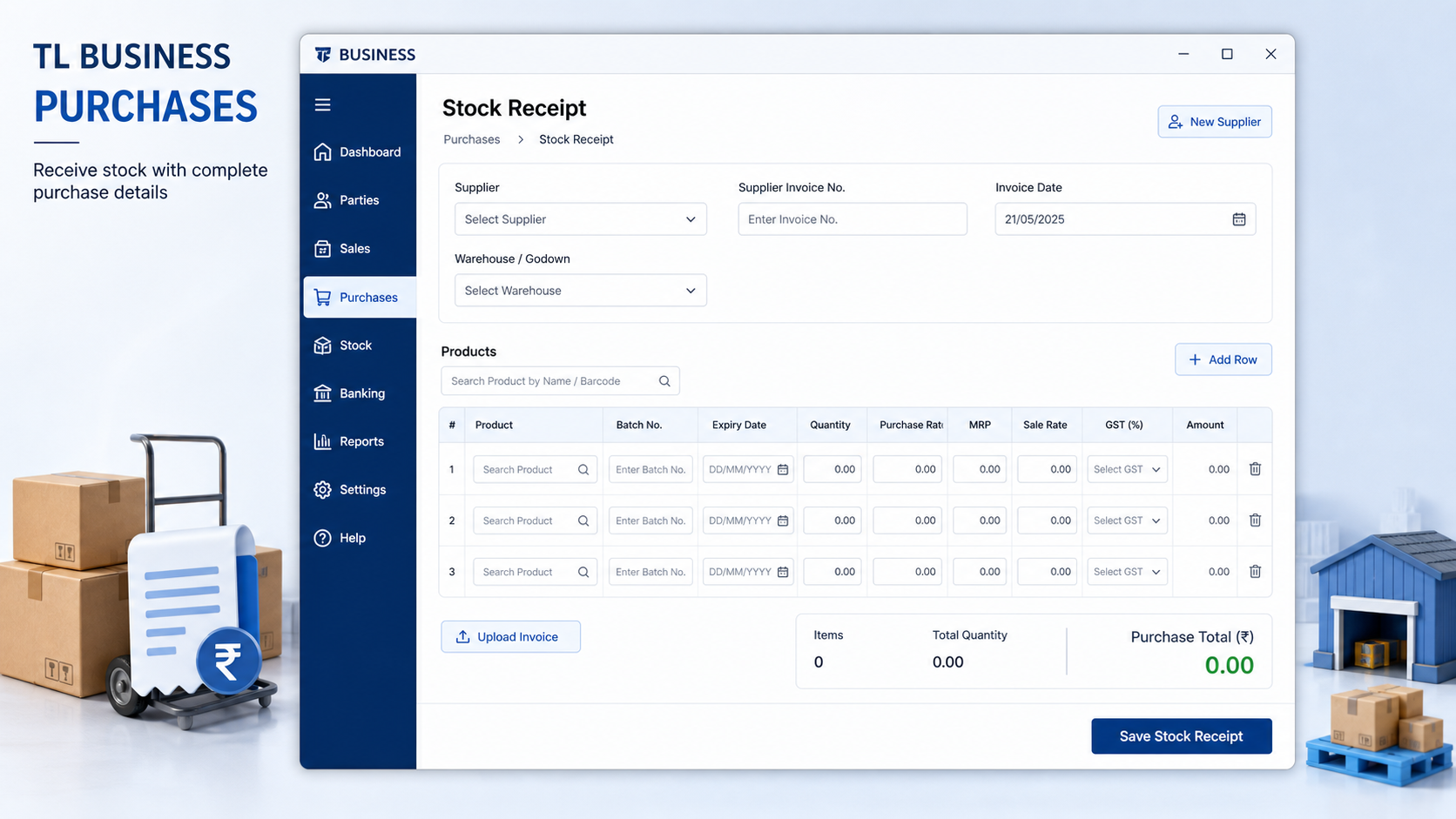
Purchase entry
Record supplier purchases so inward stock and payable information stay connected.
-
05
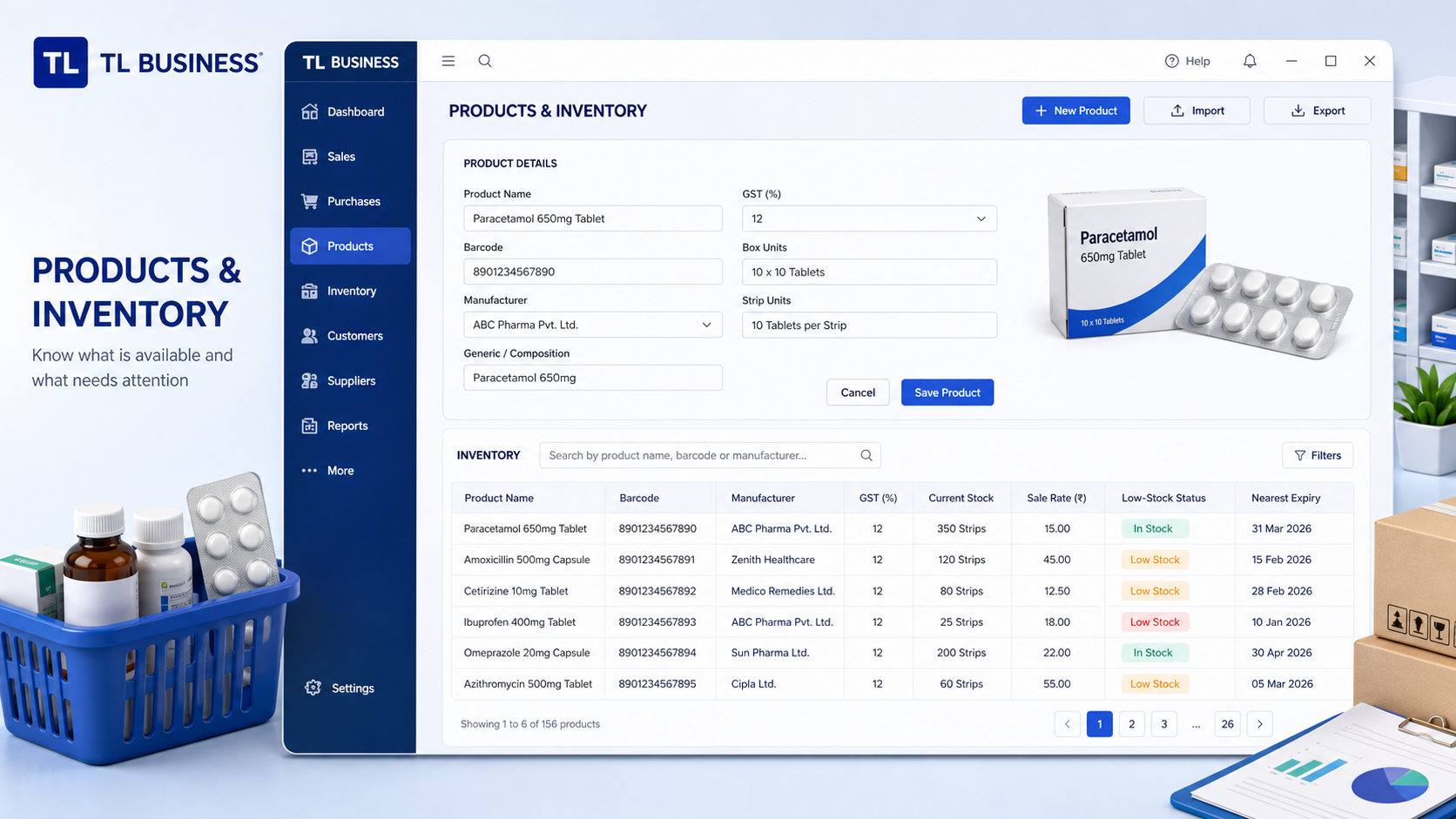
Products and inventory
Maintain medicine details, units, tax, barcode, rack and minimum-stock information.
-
06
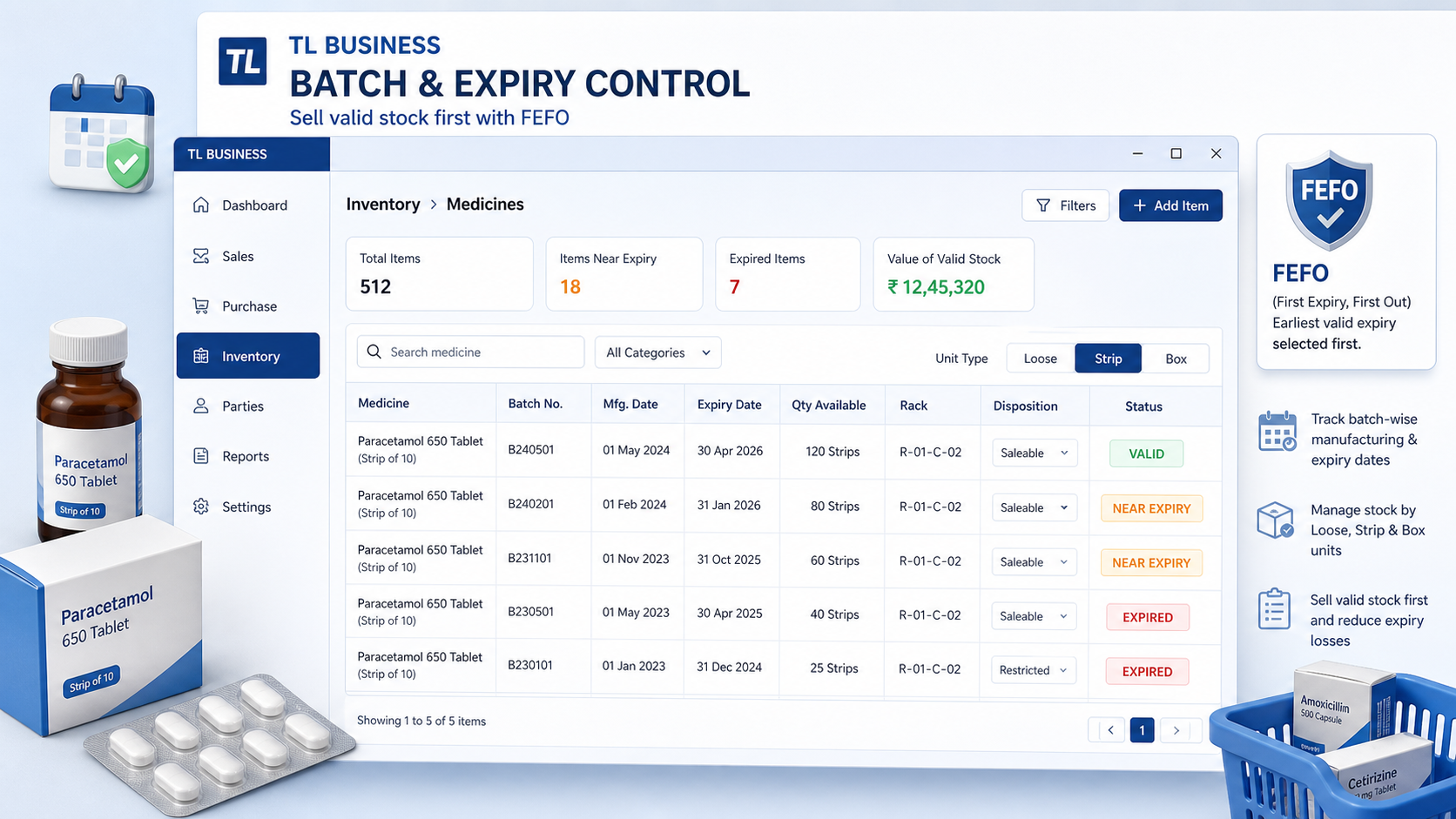
Batch, expiry and FEFO
Track medicine batches, identify near-expiry stock and use FEFO suggestions during billing.
-
07
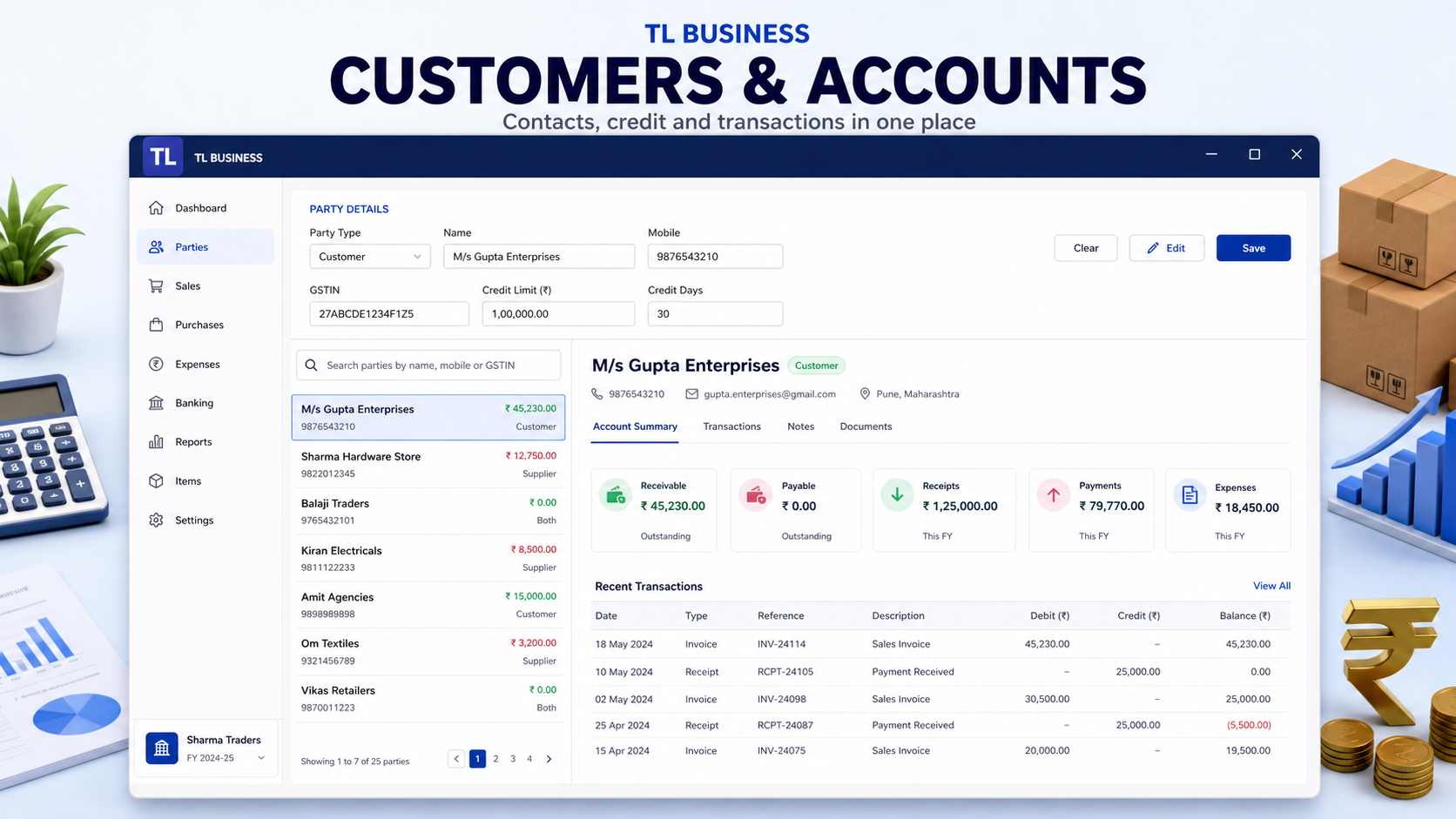
Customers and accounts
Keep customer, supplier, credit and payment records organized for follow-up.
-
08
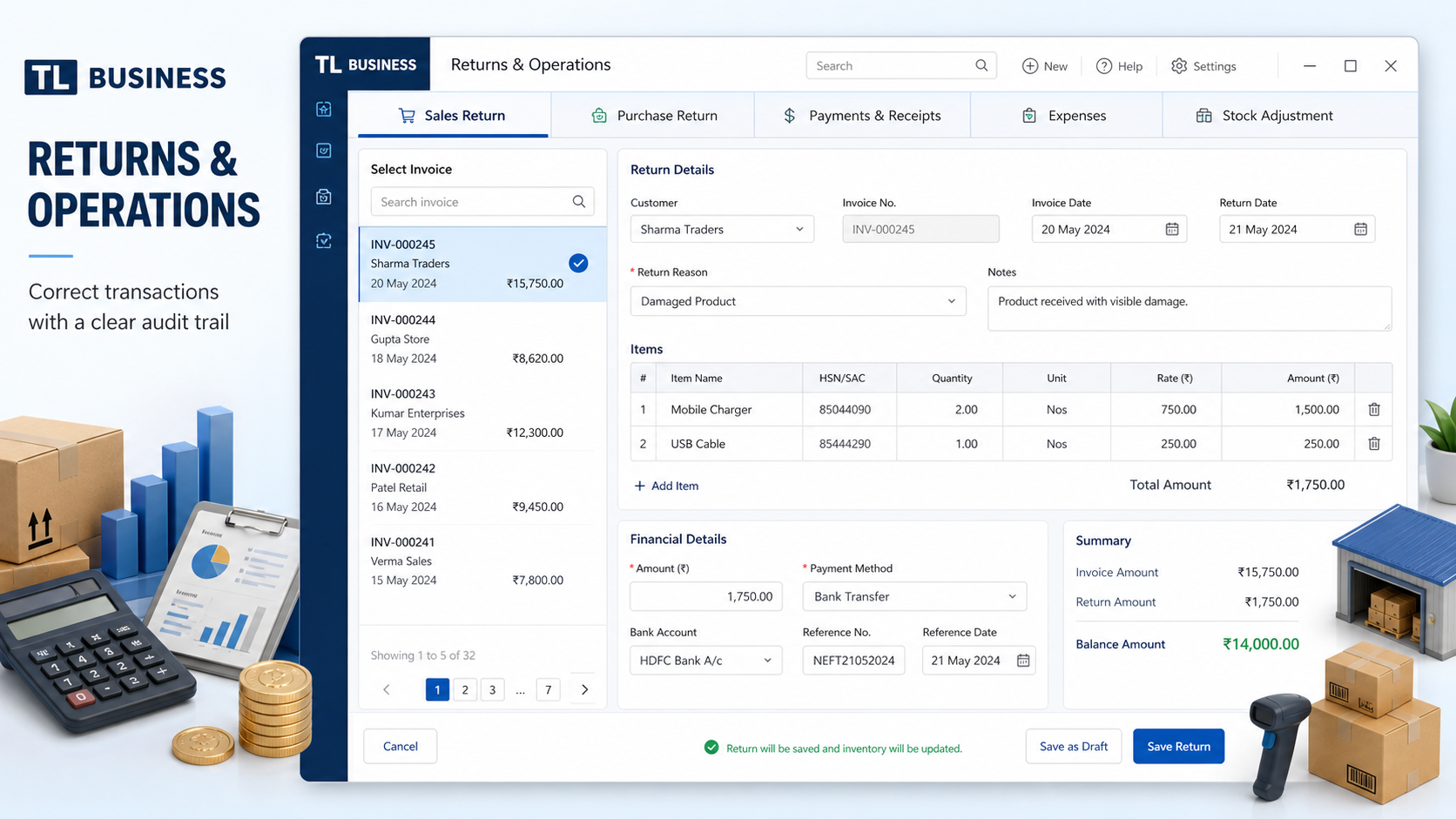
Returns and stock operations
Handle sales returns, purchase returns and controlled stock adjustments with movement records.
-
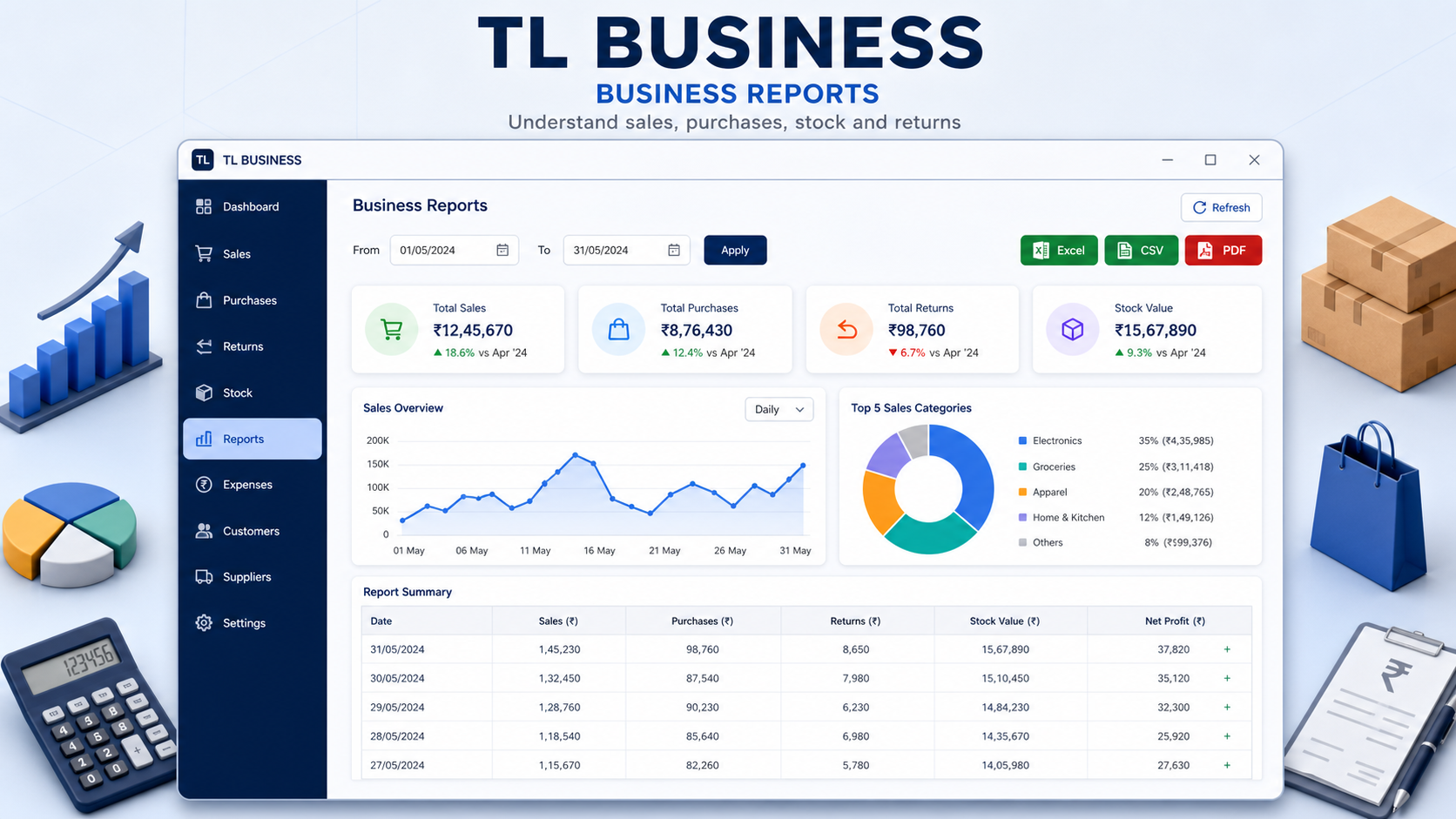
09
Business reports
Review sales, purchases, stock and account information without depending on the internet.
-
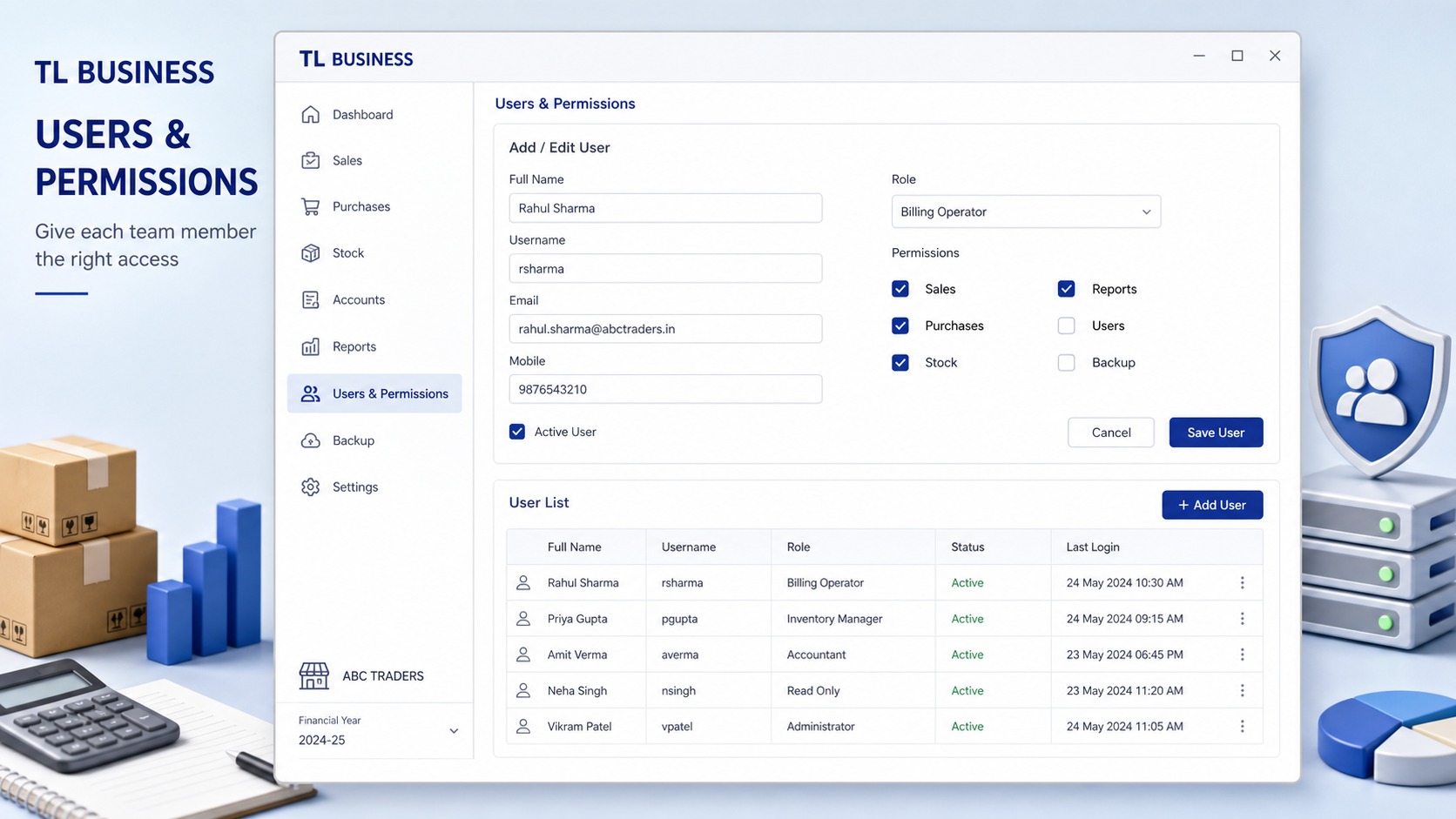
10
Users and permissions
Give staff appropriate access while keeping administrator controls protected.
-
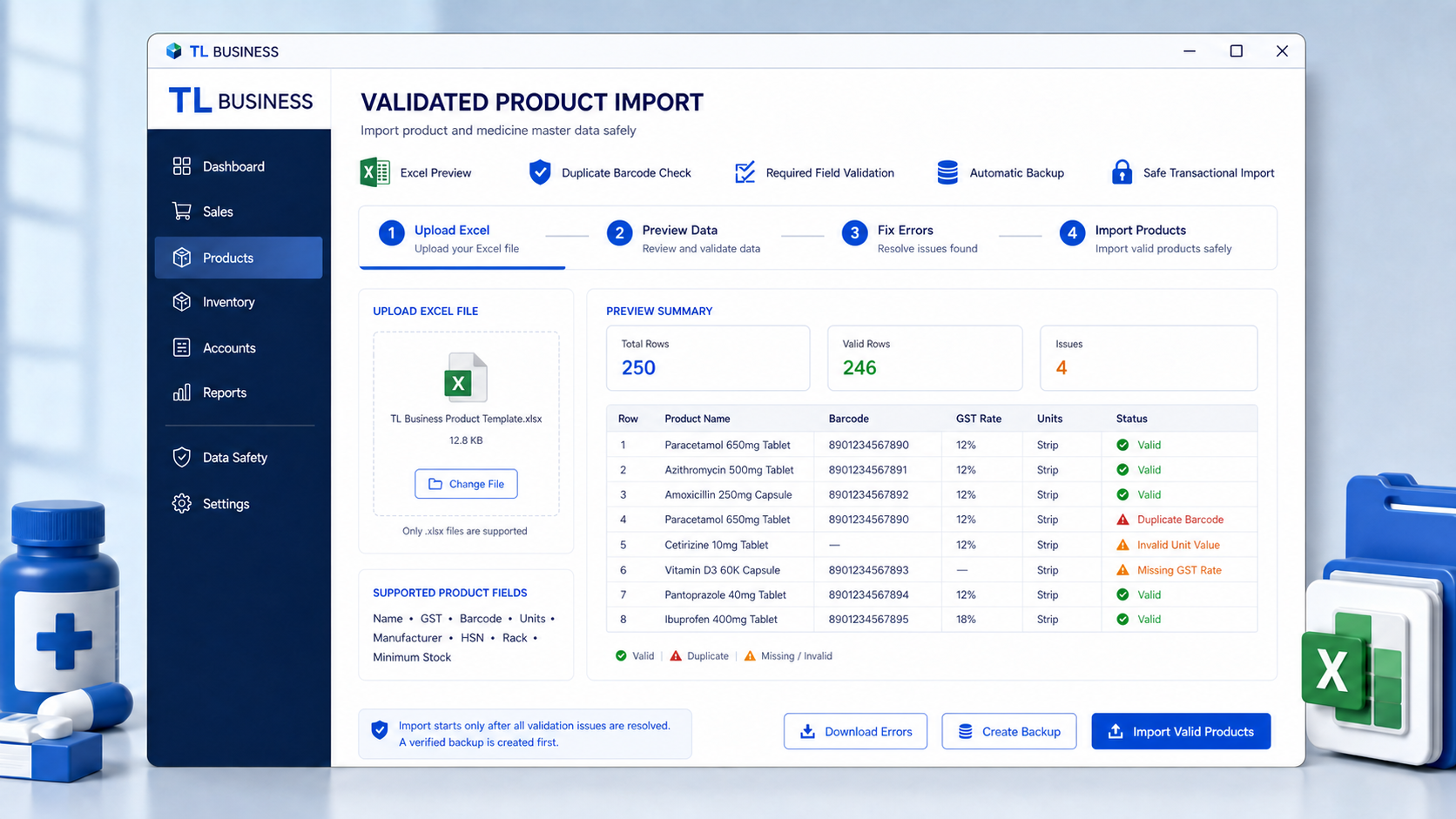
11
Validated Excel product import
Preview product or medicine master data, resolve every validation issue and create a verified backup before import.
-
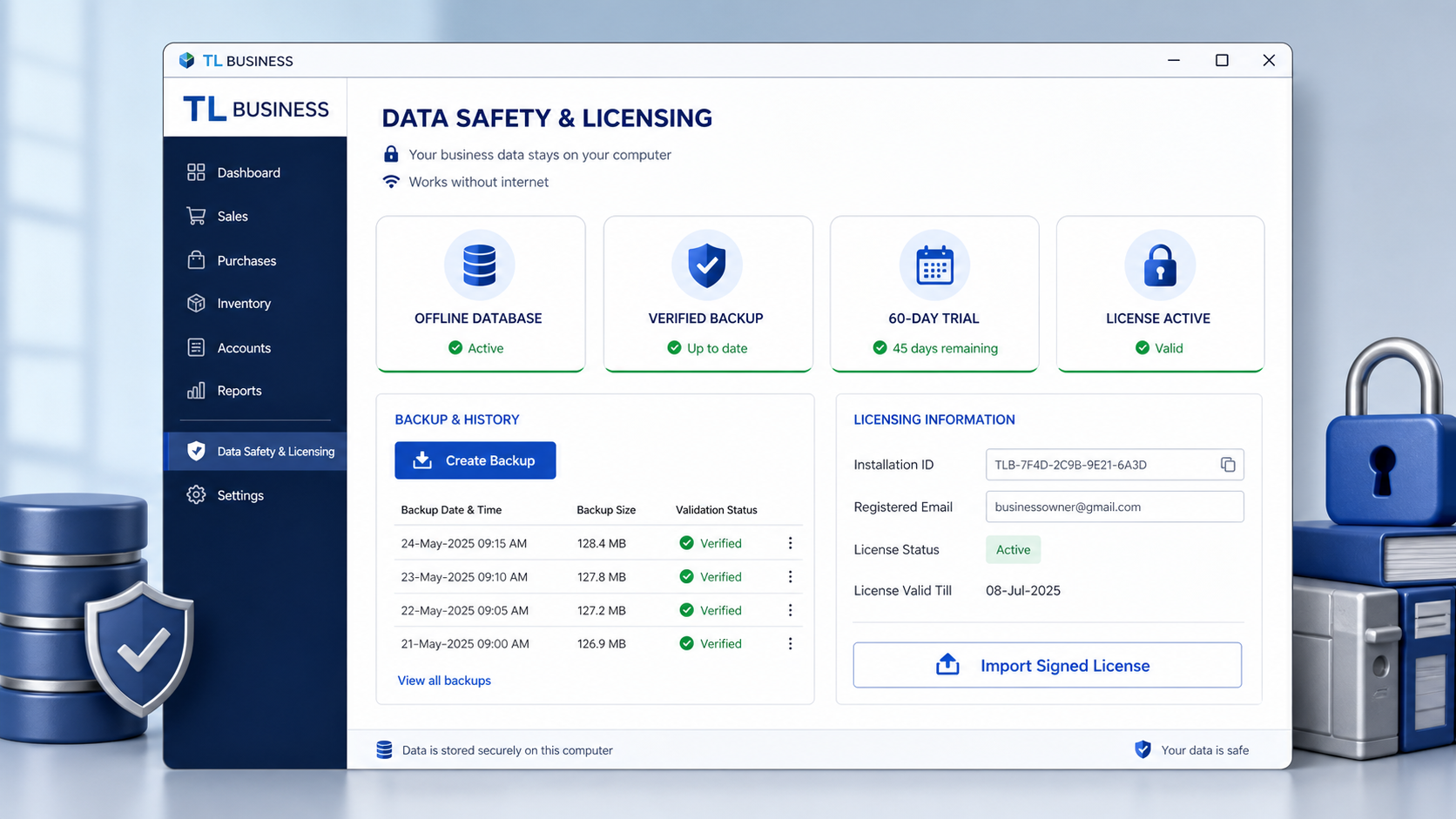
12
Data safety and licensing
Protect local business data with verified backups, restore tools and offline licence controls.
Product features your pharmacy will receive
From the billing counter to stock review and backup, the core workflow stays connected in one offline Windows application.
Billing and counter sales
Create pharmacy bills quickly while keeping unit, batch and tax information visible.
- Medicine, salt and barcode search
- Box, strip and loose-unit quantities
- Rate and GST review before saving
- A4 and 80mm PDF invoice output
Batch and expiry control
Reduce avoidable expiry risk with stock recorded against the correct medicine batch.
- Batch-wise stock visibility
- FEFO batch recommendations
- Expired batch sale blocking
- Near-expiry and low-stock alerts
Purchases and inventory
Keep medicine inward stock, adjustments and returns connected to day-to-day billing.
- Supplier and purchase entry
- Product and opening-stock import
- Sales and purchase returns
- Stock adjustments and movement records
Reports, users and safety
Review the business locally and keep control of access, reports and recoverable backups.
- Sales, stock and account reports
- User accounts and administrator access
- Validated local backup and restore
- Offline licence and read-only trial expiry
A practical Windows system—not just a billing screen
Start with the trial, test the workflow using non-production data, and confirm printer, tax and pharmacy configuration before operational use.
- Self-contained Windows desktop application
- Local SQLite database controlled by your business
- 60-day offline evaluation period
- Setup guidance and requested trial support
- Core billing, purchase, stock, return and report modules
- No mandatory cloud subscription for normal operation
Your billing data stays on your Windows computer
The self-contained Windows app uses its own local SQLite database. No database server or .NET installation is required. Normal billing, inventory, reports and backups continue offline.
- Windows 10 or 11, 64-bit
- 4 GB RAM minimum; 8 GB recommended
- Approximately 500 MB free storage
- Optional USB barcode scanner and printer
Start with a genuine 60-day trial
Choose your edition during setup. Trial expiry never deletes or encrypts your business data. The app becomes read-only until a valid signed offline licence is imported.
Tell us where to send your secure link
We use these details to verify the download and provide requested trial support. Marketing consent is separate and optional.
Frequently asked questions
Does the software need internet?
No. Core billing, inventory and reporting work locally. Internet is only needed when you choose to contact support or download an update.
Where is my business data stored?
In a local SQLite database under the protected Windows ProgramData folder. You control your backups and the offline edition does not silently upload billing data.
Is a barcode scanner mandatory?
No. Keyboard and mouse work fully. Standard USB HID scanners are optional.
Does the trial delete data after 60 days?
No. New modifications are blocked, but viewing, reporting, reprinting and backup remain available.
Is GST or pharmacy compliance guaranteed?
No software replaces professional advice. Configuration and statutory use must be reviewed with a qualified tax or pharmacy professional.